5hh8 Login
Sign in to your 5hh8 account with your registered phone number and password. If you don't have an account yet, register free in under two minutes.
Sign In to Your Account
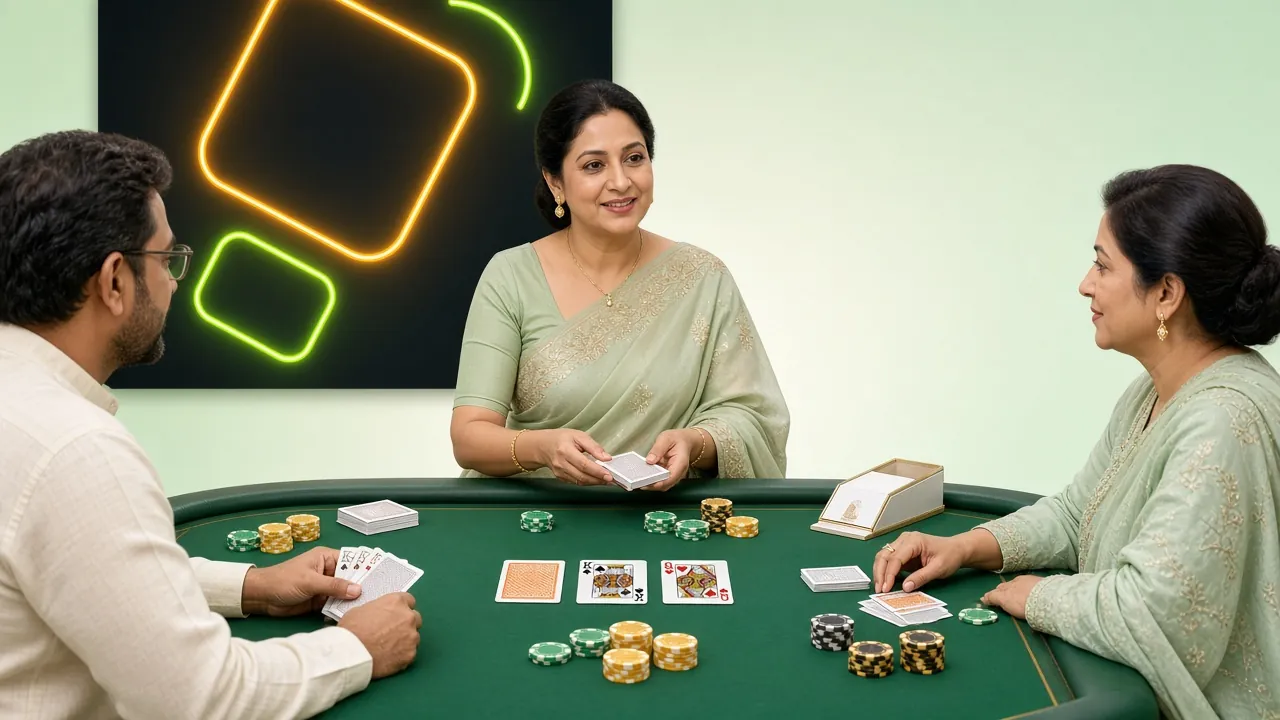
Deposit from ৳300 via bKash, Nagad, Rocket or Upay. Funds arrive in about 3 minutes.
Three Ways to Access Your 5hh8 Account
You can log in to 5hh8 through the browser on your phone or desktop, or via the dedicated Android app. All three routes reach the same account, the same wallet, and the same live tables.
| Method | How It Works | Best For | Notes |
|---|---|---|---|
| Phone Number Login Recommended | Enter your registered Bangladeshi mobile number and your password on the login page. | All players. Quickest route from any browser — Chrome, Firefox, or Samsung Internet. | Works on any device. No app install needed. Use autocomplete to save your credentials. |
| 5hh8 Android App | Open the app, tap Log In, enter the same phone number and password you use on the website. | Players who want push notifications for match odds, bonus alerts, and deposit confirmations. | Free download. Version 2.2.7, Android 6.0+, 58 MB. See the App page for the APK link. |
| Desktop Browser | Go to 5hh8.ws in any desktop browser, click Login at the top right, fill in the form. | Players who prefer a larger screen for live casino tables or multi-match betting. | Full game library available. Screen size does not affect your account balance or bonuses. |
All three methods share the same session security. Logging in on one device does not automatically log you out of another, but we recommend using only trusted personal devices.
Keep Your Account Safe at Login
Your account holds real money. These five habits take less than a minute to set up and protect your balance from common threats.
Use a Strong, Unique Password
Pick a password that mixes letters, numbers, and symbols — at least 10 characters. Do not reuse the same password from your bKash or social media accounts. If your email or social account is ever breached, a unique password keeps your 5hh8 funds safe.
Log Out on Shared Devices
If you log in from a friend's phone, an internet café, or any device that isn't yours, always tap Log Out before you leave. Staying logged in on a shared device gives anyone with access full control of your wallet.
Avoid Public Wi-Fi for Login
Open hotspots — at bus terminals, restaurants, or shopping malls — can expose your password to other users on the same network. Use your mobile data (Grameenphone, Robi, Banglalink) for login if you're away from home.
Never Share Your Credentials
5hh8 support staff will never ask for your password in live chat or by email. If anyone contacts you claiming to be 5hh8 support and asks for your password or OTP, it is a phishing attempt — ignore and report to [email protected].
Change Your Password Regularly
Updating your password every few months limits the damage if old credentials are leaked in unrelated data breaches. After changing, check that "Keep me signed in" is turned off on any devices you no longer use regularly.
Login Problems and How to Fix Them
Most login issues are resolved in under two minutes. Find your symptom in the table below and follow the fix.
| Symptom | Likely Cause | Fix |
|---|---|---|
| "Incorrect phone or password" error | Typo in phone number or wrong password. The number field must include the leading zero (e.g. 017XXXXXXXX, not +8801...). |
Step 1 Re-enter your phone number with the leading zero. Step 2 Try your password carefully — it is case-sensitive. Step 3 If still failing, use Forgot Password below the form. |
| Account locked after several failed attempts | 5hh8 temporarily locks an account after multiple wrong passwords to prevent brute-force attacks. |
Step 1 Wait 15 minutes, then try once more with the correct password. Step 2 If the lock persists, contact 24/7 live chat directly from the login page. |
| OTP not received by SMS | Your carrier may delay messages during peak hours, or the number on file has a typo. |
Step 1 Wait 60 seconds, then request a new OTP. Step 2 Check that the phone number shown matches your SIM. Step 3 If still not received, contact support — they can verify you via live chat. |
| Page won't load or spins indefinitely | Slow mobile data, DNS issue, or a browser cache problem. |
Step 1 Switch from Wi-Fi to mobile data, or vice versa. Step 2 Clear your browser cache and cookies, then reload. Step 3 Try a different browser (e.g. switch from UC Browser to Chrome). |
| Logged out immediately after signing in | Cookies are blocked in your browser settings, preventing the session from saving. |
Step 1 In your browser settings, allow cookies for 5hh8.ws. Step 2 Disable any "private browsing" or "incognito" mode that blocks persistent cookies. Step 3 Log in again and tick "Keep me signed in". |
| 5hh8 App login not working | Outdated app version, or a background permission preventing the app from connecting. |
Step 1 Check your app version — current version is 2.2.7. Download the latest APK from the App page. Step 2 Allow the app to use mobile data in your phone's app permissions. Step 3 Uninstall and reinstall if problems persist. |
If none of the above solves your problem, reach 5hh8's 24/7 live chat support. Have your registered phone number ready to speed up verification.
Step-by-Step: How to Log In to 5hh8
New to the site or returning after a break? Here's the exact sequence from opening the browser to seeing your account dashboard.
-
01
Open 5hh8 in Your Browser
Type 5hh8.ws into Chrome, Firefox, or any browser on your Android phone or desktop. Make sure you are on the correct domain — the address bar should show 5hh8.ws with a padlock icon confirming SSL encryption. Bookmark the page so you always reach the right site.
-
02
Click the Login Button
On desktop, tap "Login" in the top-right corner of the navigation bar. On mobile, the button appears at the top of the page. You will be taken directly to this login form. If you arrived here already, you're on the right page — scroll up to the form.
-
03
Enter Your Phone Number and Password
Type your registered Bangladeshi mobile number starting with 0 (e.g. 017XXXXXXXX). Then enter your password — tap the eye icon to reveal it if needed. Tick "Keep me signed in" on your personal device to skip this step next time. Avoid doing this on shared phones.
-
04
You're In — Start Playing
After a successful 5hh8 login, you land on your account dashboard. Your wallet balance appears at the top. From there you can deposit from ৳300 via bKash or Nagad, claim your active bonus, and browse over 5,100 games in the casino lobby.
Forgot Your Password? Here's How to Reset It
Password resets at 5hh8 go through your registered phone number via SMS verification. The whole process usually takes under three minutes.
-
01
Tap "Forgot Password"
Below the password field on the 5hh8 login form, click the "Forgot password?" link. Enter your registered phone number on the next screen and request an OTP. You will receive a 6-digit code by SMS within about 60 seconds.
-
02
Verify with the OTP
Enter the 6-digit OTP exactly as sent — it expires in 5 minutes, so act quickly. If you don't receive the SMS within 90 seconds, check that your SIM is active and has signal, then tap "Resend OTP". Each resend generates a fresh code; the previous one expires immediately.
-
03
Set a New Password
Once the OTP is verified, type your new password twice to confirm. Choose something at least 10 characters long and different from any previous password. After saving, you are redirected to the 5hh8 login page — sign in with your new password straight away to confirm it works.
If your SIM card has been changed or the number is no longer active, the OTP route won't work. In that case, contact 24/7 live chat and have your KYC document (NID, Passport, or Driving Licence) ready. The support team can verify your identity and unlock account access after their standard review.
The 5hh8 Android app saves your login session so you go straight to your dashboard — no typing every time. Push notifications tell you when deposits confirm and when bonus windows open.
Common Questions About 5hh8 Login
Can I stay logged in between sessions?
Yes. When you tick "Keep me signed in" on the 5hh8 login form, your session is saved in a secure browser cookie. The next time you open 5hh8.ws on the same device and browser, you will go straight to your dashboard without entering your credentials again. This cookie expires after 30 days of inactivity. For security, only use this option on a personal device — never on a shared or public phone or computer. If you clear your browser cookies manually, you will need to log in again.
Can I have more than one 5hh8 account?
No. 5hh8 allows one account per person, one per phone number, and one per payment method. Creating duplicate accounts violates the terms and conditions and will result in both accounts being suspended and any pending withdrawals being cancelled. If you think your account was accidentally duplicated — for example, you registered twice with slightly different phone numbers — contact support immediately via live chat. They will merge your activity and confirm which account to keep active.
Can I log in on two devices at the same time?
Yes, 5hh8 allows concurrent sessions on more than one device. For example, you can have the website open on your laptop while also being logged into the app on your phone. Both sessions access the same wallet in real time, so a deposit made on one device shows up instantly on the other. However, placing bets from two devices simultaneously using the same account is not recommended, as it can cause session conflicts that require a re-login to resolve.
Why does my balance look different after logging in?
Your wallet balance reflects all settled transactions up to the moment you log in. If you placed bets just before logging out, those bets may have settled (won or lost) while you were away, changing the balance. Bonuses credited overnight — such as the daily 1.6% cashback — also appear as an addition you didn't see before. If the balance is lower than expected and you have not placed any bets, contact 24/7 live chat with the date and approximate amount for a transaction review.
Does using a VPN affect my 5hh8 login?
Using a VPN is not recommended when logging in to 5hh8. VPN connections can trigger the platform's fraud detection, flagging your session as coming from an unusual location and causing an automatic logout or a temporary account hold. If you must use a VPN for a reason unrelated to 5hh8, disconnect it before opening the login page. If your account is flagged after a VPN session, contact support via live chat with your registered phone number to confirm your identity and restore access quickly.
I don't have a 5hh8 account yet. What do I need to register?
Registration takes under two minutes and requires only your Bangladeshi mobile number, a password, and your date of birth to confirm you are 18 or older. You do not need to upload any documents to register or to make your first deposit. KYC verification (National ID, Passport, or Driving Licence) is required only before your first withdrawal. After registering, your first deposit of ৳300 or more unlocks a 115% welcome bonus up to ৳6,000. Head to the registration page to get started.
- SSL Encrypted Login
- bKash & Nagad Accepted
- 24/7 Live Support
- 18+ Verified Platform
- Secure Withdrawals in ~43 min